How to file a press briefing transcript for the desk
A filing routine for reporters: upload a saved briefing, label speakers, check quotes against the audio, and hand the desk an export.
Filed under
On this page
Start from the desk's question, not the file
A press briefing, council meeting or pool interview rarely ends when the recorder stops. An editor still needs names spelled as they should appear, a way to hear a disputed line, and a file they can open without your laptop. A transcript from Scribewren is a strong first draft that should be checked against the audio for names, numbers and quotes. It is not a finished story.
This guide is a filing routine. You upload a saved recording, label speakers, check the lines that matter, and hand the desk an export or a read-only link. You save the recording as a file on your computer, then upload it from the browser.
If the recording could identify a confidential source, or if it touches a legal or otherwise regulated matter, follow your newsroom's rules and your own professional obligations before you upload, share or keep it.
Get the recording into a file you can upload
Work from a local audio or video file. Before you leave the room, or as soon as you are back at a desk, check length, size and language.
Length comes first. On the Free plan, each file can be up to 30 minutes, and you can run three transcriptions a day. On Unlimited, billed per month or per year, each file can be up to 10 hours, you can send up to 50 files at once, and transcription is unlimited with fair use. A long hearing may need a trim if you are on Free. On Unlimited, the longer file limit is what lets a full session go up in one piece.
Size is separate from length. Upload from the browser by drag and drop, up to 5 GB per file, at the Scribewren app.
Language is a choice you can make or leave. Transcription can detect the language, or you can pick it, from 38 languages. If the briefing moves between languages, put that in the title so a later search still finds the file.
Name the file before you upload. Use date, place and event, such as 2026-04-02 city hall budget briefing. The library has folders and search by title. A vague title is a file you will not find when the desk asks for the line again.
Speaker labels run on every plan. They mark distinct voices. They do not know that the person at the lectern is the mayor. You rename speakers in the editor after you are sure. If you can, note the order of voices while you are still in the room: who opened, who asked the first question, who answered from the side.
Build a checked draft the desk can trust
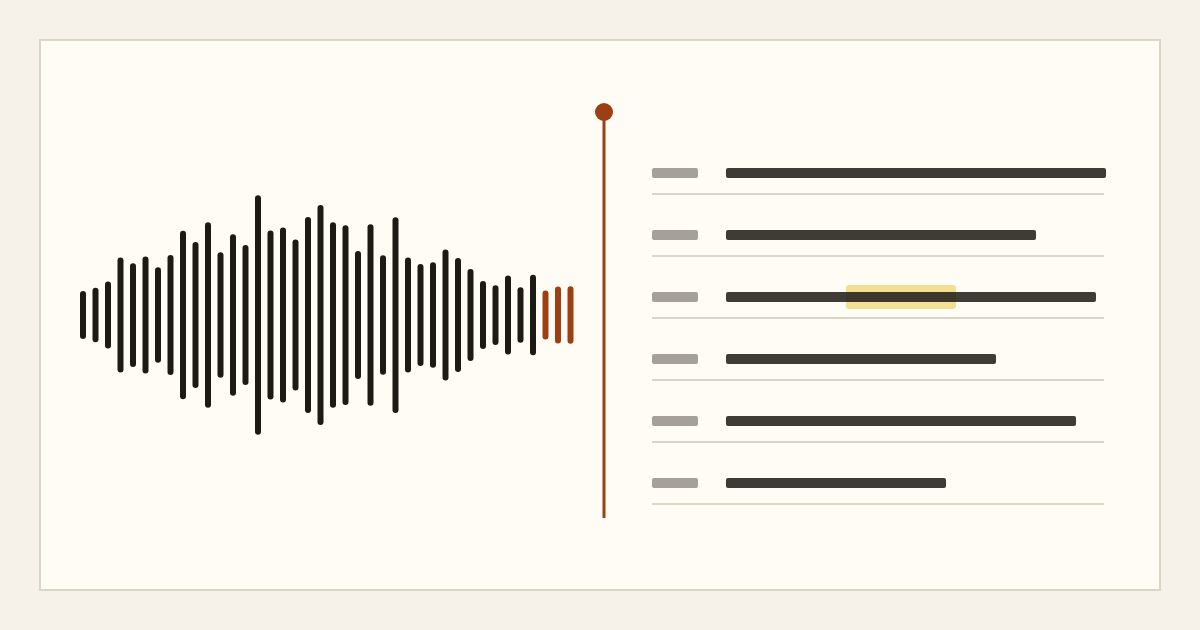
Open the transcript in the synced editor. Click a word to jump to that moment in the audio. Use that jump on every line you might publish. The click is how a first draft becomes something an editor can rely on.
Work in a fixed order so the risky lines are not the ones you skip.
Skim for structure before you rewrite. AI notes are generated on demand from the transcript. Every plan can generate a summary. Chapters and action items are on Unlimited. Free includes three AI note generations a day. Unlimited includes 200 a day, covering summary, chapters and action items. Notes are a map of the recording. They are not sentences for the story, and they are not a record of what was said until you have heard it.
Rename speakers only when you are sure. In the editor, change a generic label to a verified name or a clear role. If you are not sure who spoke, leave the label generic. A wrong name in a speaker label travels into the export and is easy to miss in a rush.
Check names, numbers and quotes against the audio. Budgets, vote counts, street names and job titles fail quietly in a first draft. Play the moment, then edit the text. A clean sentence is not the same thing as a correct sentence.
Use find in transcript for repeated figures. If one answer says four million and a later answer says forty million, find both and listen to both. Do this before you write the nut graf. A single missed zero is enough to force a correction.
Use Ask your transcript when you need to locate a passage inside that one transcript. The answer comes from the transcript's text, not from outside reporting. Free includes 10 Ask questions a day. Unlimited includes 200 a day. Treat the answer as a pointer back into the text. Open the audio before you treat any line as fact, and do not quote the answer itself.
Keep AI notes and Ask answers out of the published copy. The words that run are the words you heard and checked. If a colleague wrote the story from your package, they should be able to see which lines you verified and which you only located.
A quote check in your working notes can look like this:
Speaker 2: We will close the west branch in June.
Click the word June, hear the line, and only then decide whether June is what was said, and whether that speaker had the standing to say it. Attribution remains your job. The editor can help you hear the line. It cannot decide what the story should claim, and it cannot supply a name you did not confirm in the room or in your notes.
Hand the desk a file they can mark up
When the lines you care about have been checked, export. Exports are TXT, DOCX, PDF, and SRT and VTT subtitles. You can include timestamps and speaker labels. For a desk package, DOCX or PDF with timestamps and labels is the file an editor can mark. SRT or VTT is the file to use if the same recording will carry captions. Captions need the same name and number check as body copy. A caption with a wrong figure is still a published error.
You can also turn on one public read-only share link per transcript. The link can be revoked. It is useful when an editor needs to read without an account. Anyone who has the link can read the transcript, so use it only for material your newsroom is content to have readable that way. For anything tighter, send the export through the channel your desk already uses, and skip the link.
Put a short cover note at the top of the document or in the email that carries it. Four lines are enough:
- Event, date and place.
- Who sits under each speaker label, and which labels are still unconfirmed.
- Which quotes you have checked against the audio, and which you have not.
- How long the playback copy will remain, and where your own recording is stored.
Playback is not your original upload. Original uploaded files are deleted within 24 hours after processing finishes. A compressed playback copy is kept for the retention period of the plan: 7 days on Free, and 90 days on Unlimited. Transcripts are kept until you delete them. You can delete a transcript and its audio at any time. If you will need to re-hear a line after that window, keep your own copy under your newsroom's storage rules. Scribewren is not a system of record for your recordings.
Recordings and transcripts are never used to train AI models. Audio is processed by a third-party speech recognition provider under a zero data retention agreement. Those are product facts. They do not replace a source-protection decision. If a recording could identify a source, decide whether upload is allowed before you drag the file in. When in doubt, keep the file inside the system your newsroom already trusts, and transcribe only what your rules allow.
Help on uploads, exports and the editor is in the help center.
File the transcript so the next story can find it
After you export, put the transcript in a folder named for the beat, not for today's slug. Search is by title, so the title should carry place and subject. A folder called City hall, and a title that includes budget briefing, will outperform a file called final. The next time that branch, that vote or that official comes up, you want the checked draft in one search, not in a thread of old emails.
If the beat crosses languages, Unlimited can translate a finished transcript into 116 languages, up to 50 translations a day. Free does not include translation. Translate only after the source transcript has been checked. A translation carries forward an unchecked name. Read the translation against the original transcript, and against the audio for any line you might quote, before anyone treats a translated sentence as publishable.
If you are on Unlimited and you have many long files in one day, fair use still applies. Upload the briefing the desk needs before you upload the rest of the day's tape. A package that arrives after the slot is closed is a file, not a filing.
A filing checklist
Run this list before you send the package.
- The file is local, and it fits the length and size limits of your plan.
- Language is set, or left to detection, within the 38 supported languages.
- The title is dated and specific, and the transcript sits in the right folder.
- Speakers are renamed only where you are sure.
- Every quote, name and figure you might publish has been checked by clicking through to the audio.
- AI notes and Ask answers are not in the copy.
- The export matches the job: DOCX or PDF with timestamps and labels for the desk, SRT or VTT if you need captions.
- A share link exists only if anyone with the link may read the transcript, and you will revoke it when the handoff is done.
- You have kept your own recording if you will need it after playback retention ends.
- Confidential material follows newsroom rules, and is not uploaded by habit.
Scribewren can turn that saved briefing into an editable transcript, subtitles and notes you still check yourself. Upload the file at https://app.scribewren.com.